Attribute value categories
Attribute value categories group the individual options (values) of your attributes. A good example is grouping paint colours by finish, "Matte colours" and "Gloss colours" as separate categories, so that a constrained attribute can show only the subset that matches what the customer chose earlier.
Attribute value categories are the bridge between a parent attribute's selection and the filtered options shown in a child (constrained) attribute (Constrained attributes).
Create an attribute value category
- In the left navigation, go to Catalog and then Attribute Value Categories.
- Click Create in the top-right corner.
- Fill in the General section (see fields below).
- Click Save in the right-hand sidebar.
After saving, the category opens in edit mode. You can then link attribute values (options) to it using the Attribute Values tab.
Fields
| Field | Required | What it does |
|---|---|---|
| Name | Yes | Display name of the category. Supports multiple locales. Use the locale switcher to add translations. |
| Identifier | No (create) / Yes (edit) | A unique, space-free slug (max 48 characters) for use in integrations. Auto-generated if left blank. |
| Root | Yes | Set to Yes to make this a top-level category with no parent. Set to No to nest it under an existing category. |
| Parent | Yes (when Root is No) | The parent attribute value category. Disabled when Root is set to Yes. |
| Status | Yes | Active or Inactive. |
| Description | No | Optional description. Supports multiple locales. |
| Thumbnail | No | A square image for the category. Upload or crop from the media gallery. |
Link attribute values to a category
After saving a category, open it in edit mode and go to the Attribute Values section.
The Attribute Values section contains two tabs:
- Attribute Values in Use — lists the options already linked to this category.
- Available to Link — lists all attribute values that are not yet linked. Select one or more and confirm to add them.
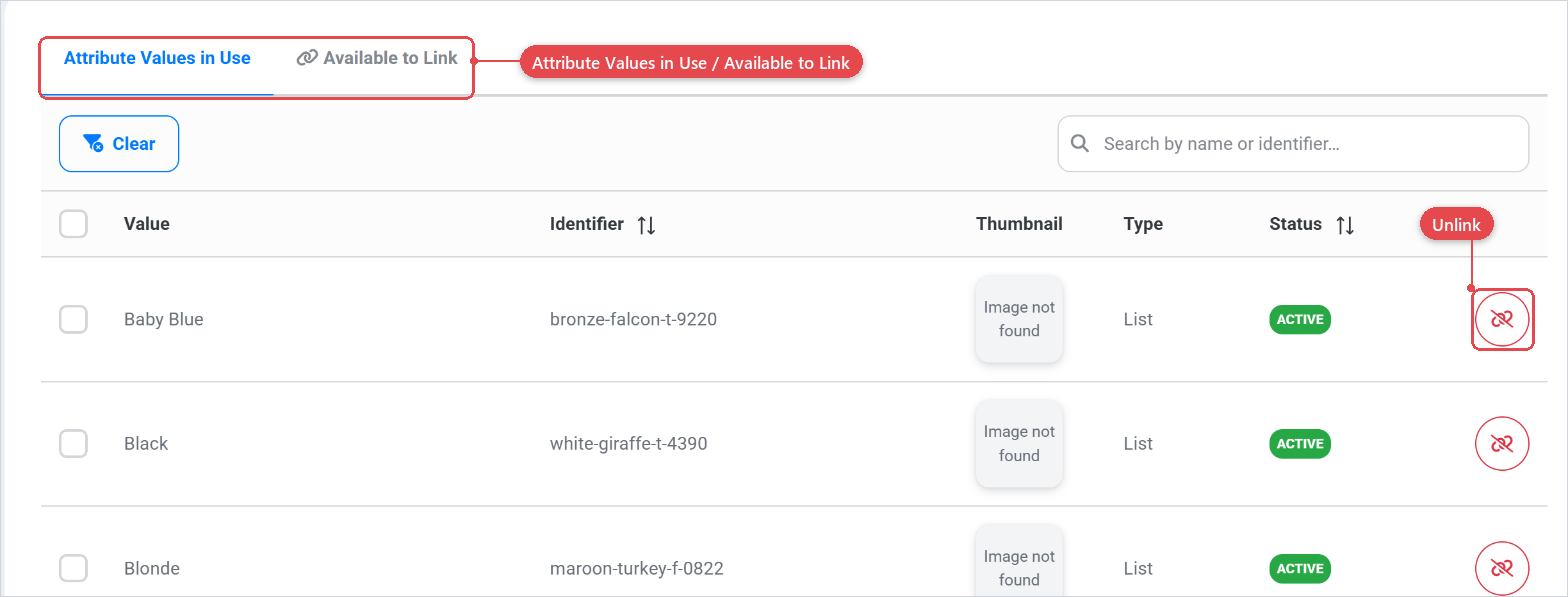
An attribute value can belong to multiple categories. Assign a value to every category that applies, so that any constrained attribute referring to any of those categories includes that option.
How constrained attributes use value categories
A constrained attribute (Constrained attributes) is an attribute whose list of available options depends the parent attribute and attached. When you configure a constrained attribute, you set:
- Parent — the attribute whose selected value determines the filter.
- Parent Attribute Value Categories — one or more attribute value categories. Once one or more are linked to a constrained attribute it will filter the values of the parent attributes to only show values with said Attribute Value Categories connected.
For guidance on setting this up, see the constrained attributes documentation (Constrained attributes) and the attributes section (Attributes).
- Design your category tree around customer decision paths, not around internal colour codes or supplier names.
- Each value in a parent attribute should map to exactly one value category if you want the constrained filtering to be unambiguous.